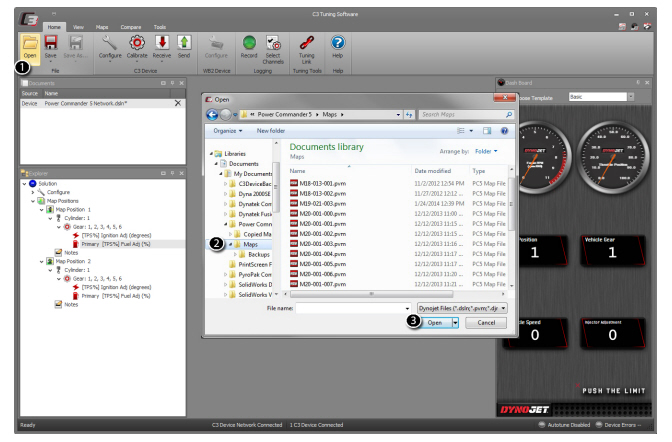
1From the Home ribbon, click Open.
2Browse to your map file. To view a list of supported file formats:
A file format defines how an application stores information in a file. The following list includes all file formats supported in C3 Tuning Software.
•Power Commander V (PC5) Map Files (*.pvm)
•Dynojet Fuel Controller (DFC5 or PCFC) Map Files (*.dvm)
•Power Commander III (PCIII) USB Map Files (*.djm)
•CMD Marine Map Files (*.cmm)
•PC5 Locked Map Files (*.pvml)
•DFC5 or PCFC Locked Map Files (*.dvml)
•PowerVision Tune Files (*.pvt)
•PowerVision Value Files (*.pvv)
•Dynojet Solution (*.dsln)
•Binary Files (*.bin, *.hex)
3Select the map file and click Open.
Related Topics